
Less repetitive work
Save daily bell times instead of relying on someone to trigger every scheduled bell.
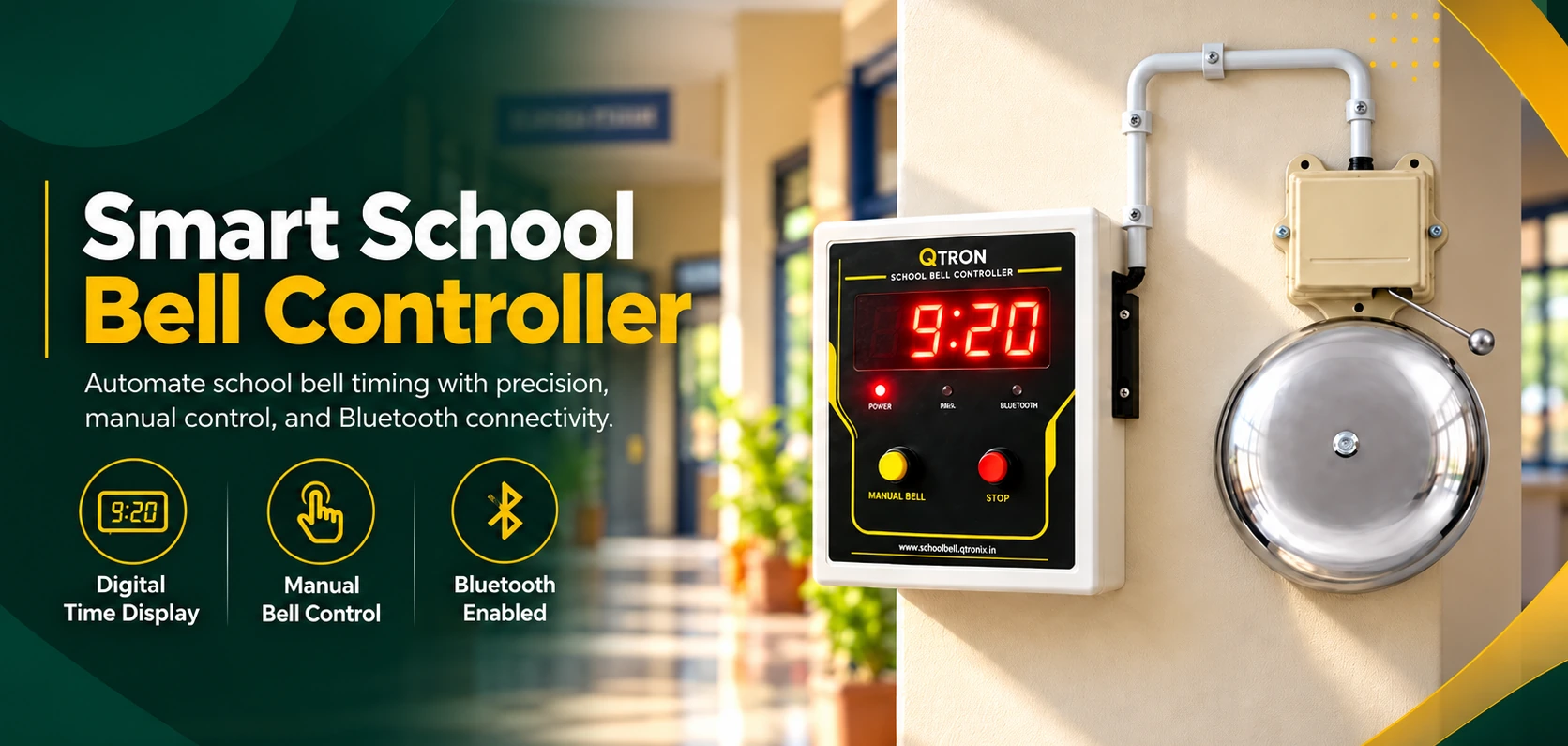
For the way India learns.
WHY QTRON?
From assembly to the final bell, make a repeatable routine easier to manage. Keep the human attention where it belongs: on the school day.
Save daily bell times instead of relying on someone to trigger every scheduled bell.
Give classes, breaks and exam sessions a clear timetable, with the flexibility your institution needs.
Adjust a weekday, pause a holiday or prepare exam dates from a straightforward mobile app.
THOUGHTFULLY EQUIPPED
Practical features that work together, from your first saved timetable to an unscheduled bell.
Save your timetable once. Let the controller handle the scheduled bells throughout the school day.
Configure the controller from the QTRON mobile app using Bluetooth Low Energy.
Saved bell schedules run on the controller. Daily operation needs neither Wi-Fi nor a connected phone.
Give different weekdays their own bell times, then copy recurring schedules to other days.
Choose SHORT or LONG for each event, making different moments easy to distinguish.
Set SHORT and LONG durations within the device limit. Defaults are 2 and 6 seconds; the maximum cap is 10 seconds.
Select holiday dates to pause automatic bells, including exam bells, without deleting your timetable.
A dedicated real-time clock keeps local IST time. The app lets you synchronise it from your phone.
Use the app or the physical MANUAL button whenever an unscheduled bell is needed.
Stop an active ring from the app or physical STOP button. Local STOP also inhibits ringing while held.
Authorise a phone using the controller’s random display PIN, encrypted connection and saved Bluetooth bond.
Install included firmware over Bluetooth when you choose. An app update never automatically flashes the bell.
FROM SETUP TO SCHOOL DAY
Your timetable is saved on the controller, ready for offline daily operation.
Connect QTRON to a suitable electric bell through a correctly rated, isolated relay arrangement.
Use the physical pairing action and random display PIN to securely connect the QTRON app.
Choose weekday bell times, SHORT/LONG durations, holiday dates and exam schedules.
Wait for save verification. The controller follows its saved timetable without a connected phone.
Professional installation matters. Mains bell wiring, contact ratings, isolation and protection must be checked by a qualified installer. Ask Q TRONIX about compatibility with your existing bell.
YOUR BELL. IN YOUR POCKET.
A focused interface for the people who manage the timetable. Configure, check and control your bell from nearby.
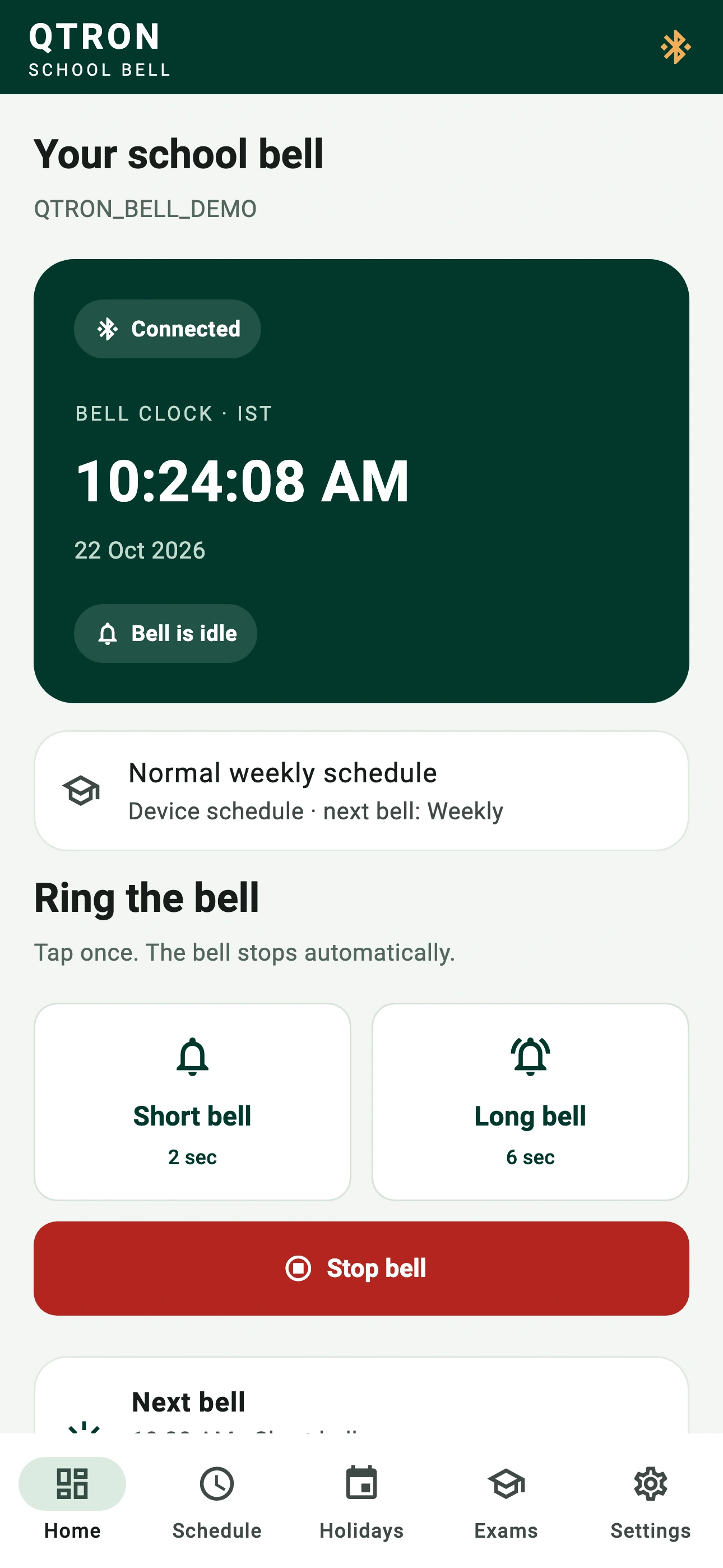
A clear view of your school day
See the bell clock, connection state, effective schedule mode and the next and last bell in one place.
Real Flutter app screens, rendered with example schedules in a preview environment. These are not live phone connection captures.
Settings are committed on the bell and read back for verification.
Read the product manual PDF · EnglishEXAM MODE · AVAILABLE ON SUPPORTED FIRMWARE
Start bells, warning bells and end bells, all in a separate exam schedule. Plan morning and afternoon sessions without rebuilding your regular week.
Holidays and global schedule OFF suppress both exam and weekly bells.
Ask about Exam ModeIllustrative times only. Review your exam requirements and save your own timetable.
A CLOSER LOOK
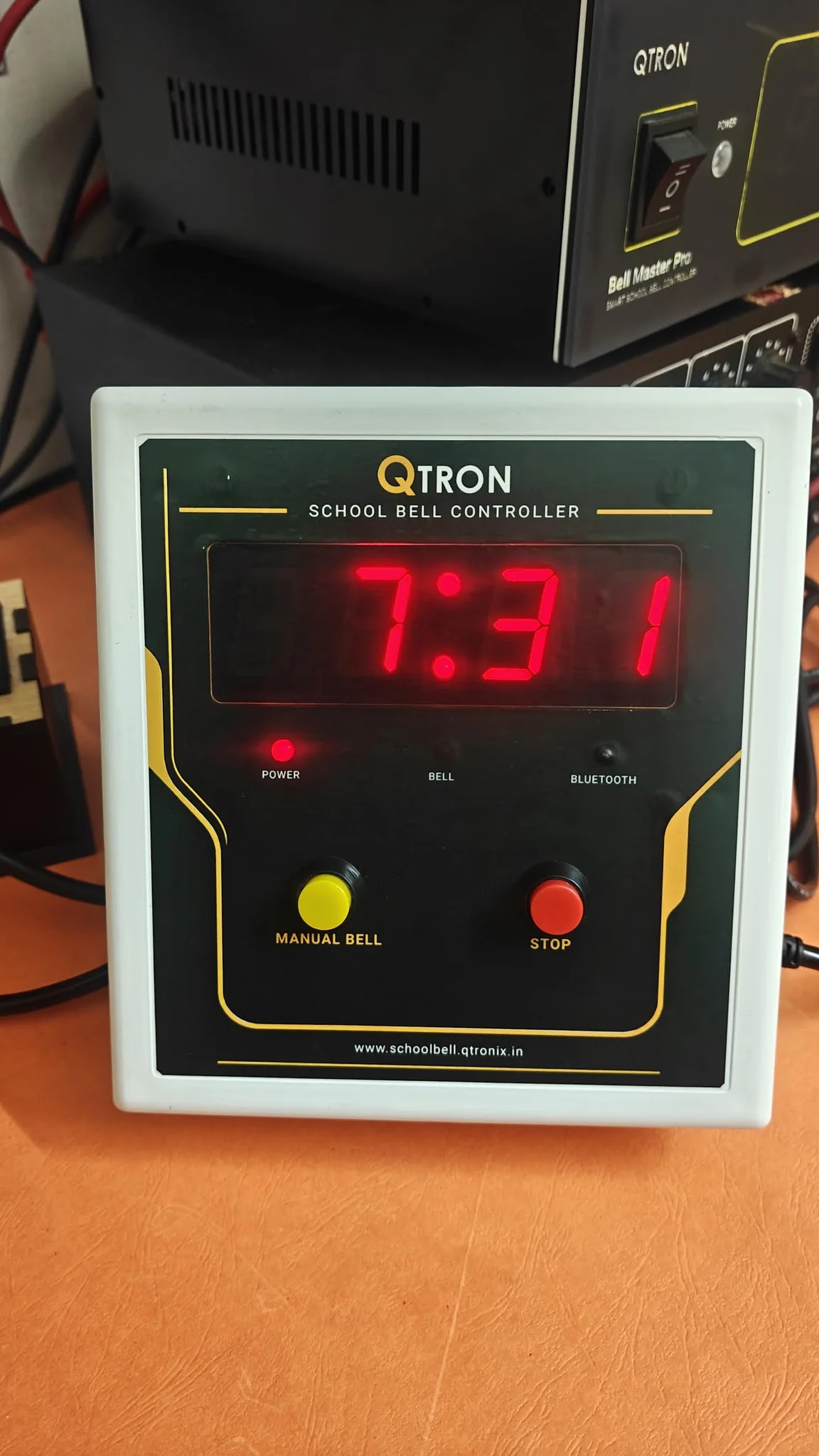
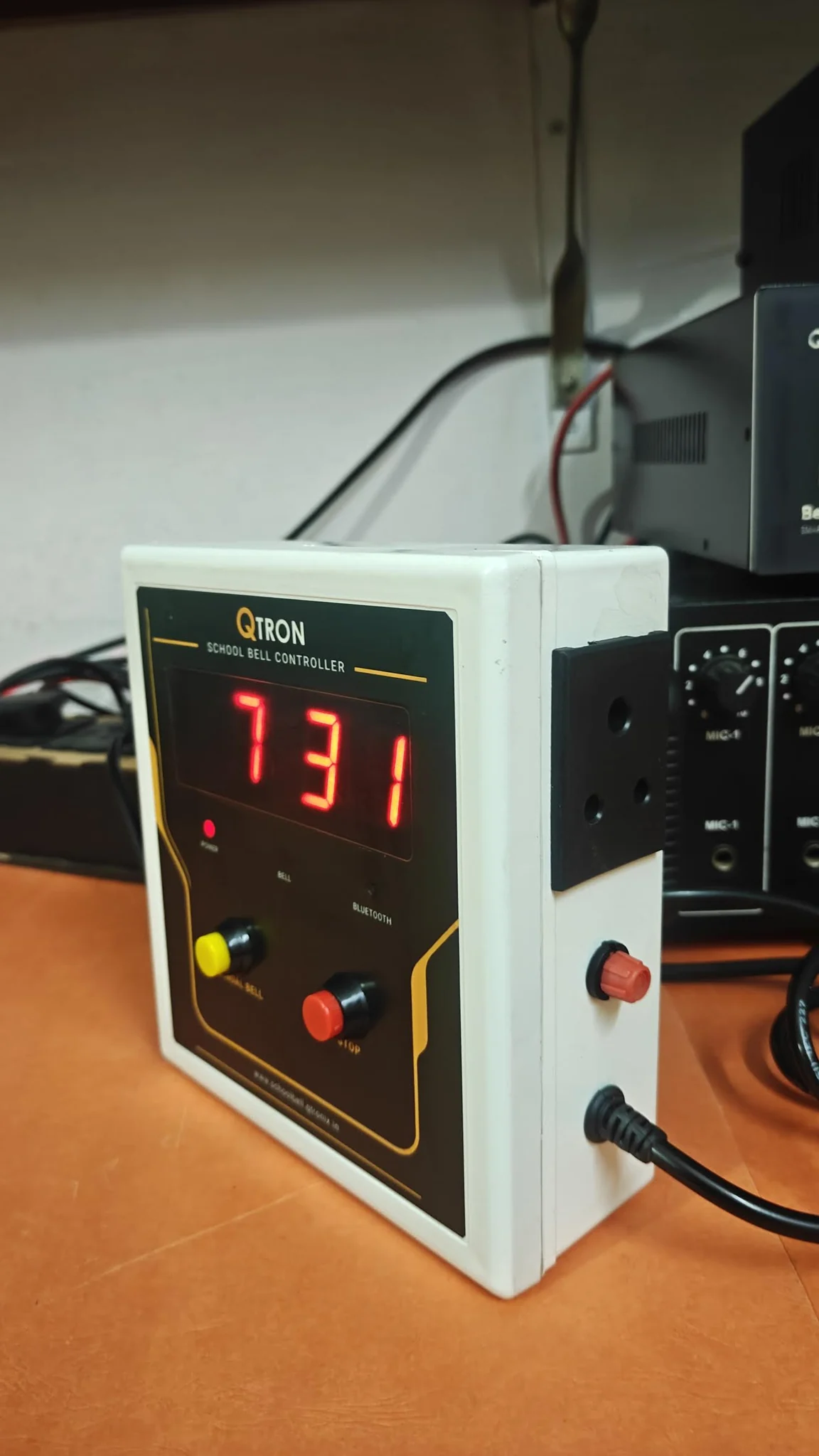
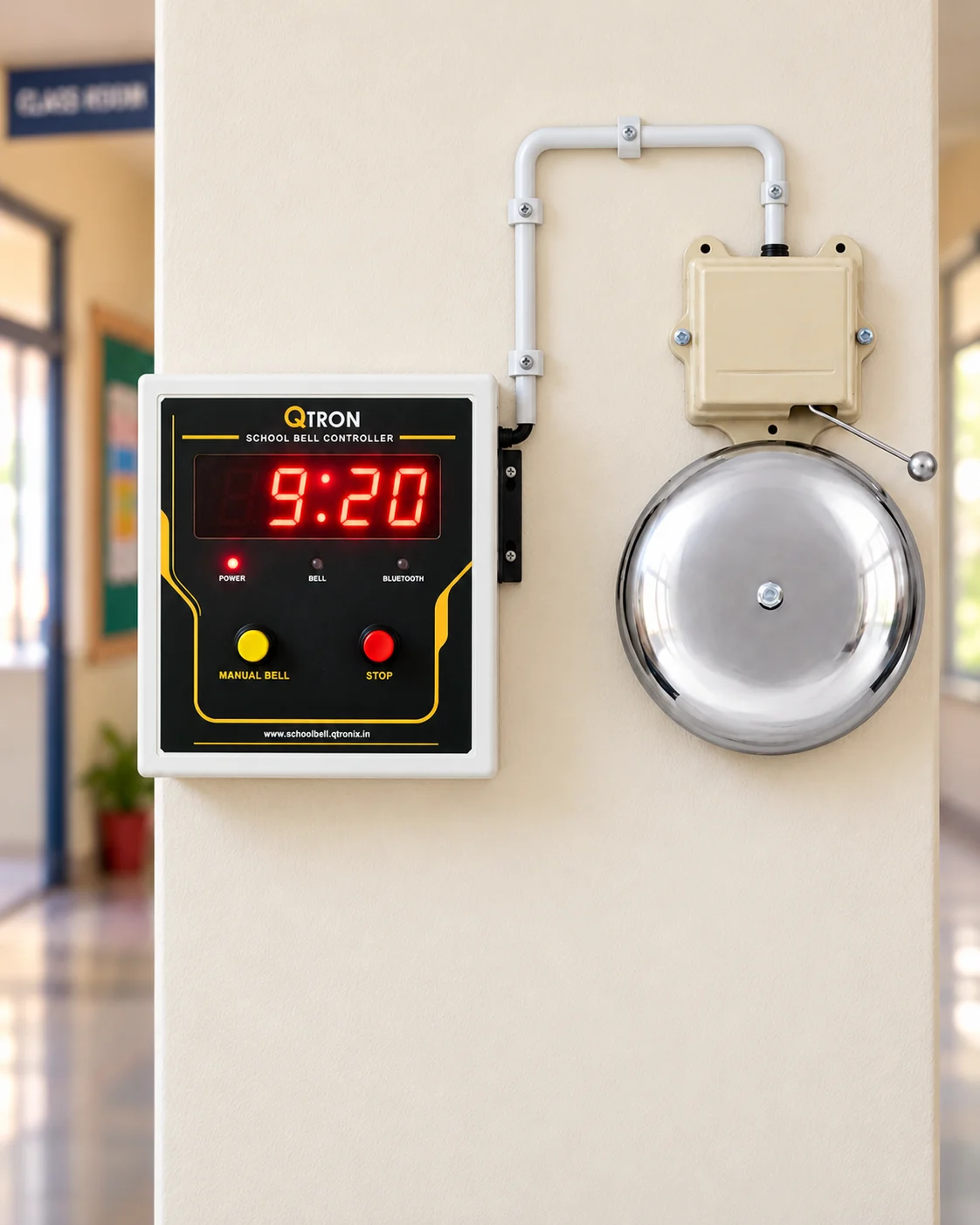
A digital clock, physical MANUAL and STOP buttons, and straightforward Bluetooth configuration.
GOOD QUESTIONS
From your existing bell to your next timetable, here are the essentials.
No. QTRON uses Bluetooth for configuration and a DS3231 real-time clock for local timekeeping. Once the timetable is saved, daily bell scheduling does not require Wi-Fi or internet access.
Yes. Saved schedules, exam dates and holidays are stored on the controller. The phone is needed when you want to configure, update or manually control the device, not for every automatic bell. The controller must remain powered for bells to operate.
Yes. Add, edit, enable or remove bell events in the app. Select SHORT or LONG for each event and adjust the two durations within the device’s safety limits. Save changes to apply them to the controller.
Yes. Each weekday has its own timetable. The app also lets you copy a day’s schedule to selected weekdays; existing events on those destination days are replaced.
Yes. Add holiday dates in the app and save them. Holidays suppress automatic weekly and exam bells. Manual bells remain available subject to STOP, pairing and update safety inhibits.
QTRON is designed to control a suitable electric bell through a correctly rated, isolated relay driver/contact arrangement. Compatibility depends on the existing bell, electrical ratings and installation. Share your bell details with Q TRONIX and use a qualified installer for mains wiring.
SHORT and LONG use two configurable ring durations. The defaults are 2 seconds and 6 seconds. SHORT must not exceed LONG, and both are limited by the configured device cap, which is at most 10 seconds.
Hold the physical STOP button for about 5 seconds to open a pairing window of up to 60 seconds. Select the bell in the app and use its random four-digit PIN. The app copies the six-digit system passkey with a 00 prefix for you to paste into the phone pairing prompt. Secure pairing closes the window automatically.
Yes, on supported firmware. Select exam dates and create a separate exam timetable with labelled SHORT/LONG events, including morning and afternoon sessions. On those dates it replaces the weekly schedule; other dates use the regular timetable. Holidays and global schedule OFF take priority.
Send a WhatsApp enquiry or call +91 90438 10887. Tell Q TRONIX your school name, city/state and bell requirements so the team can discuss pricing, compatibility and availability for your location.
LET'S PLAN YOUR SCHOOL'S NEXT BELL
Contact Q TRONIX today to learn more about the QTRON Smart School Bell Controller.
Enquiries welcome from educational institutions across India. Contact us to confirm pricing, compatibility and availability for your location.